
raja vegas Home Connects Casino and Indonesia Wallets
raja vegas puts live baccarat, roulette, slots and football markets behind one clear account path, with DANA, OVO, GoPay and QRIS visible…
Reach Casino and Slots Without Detours
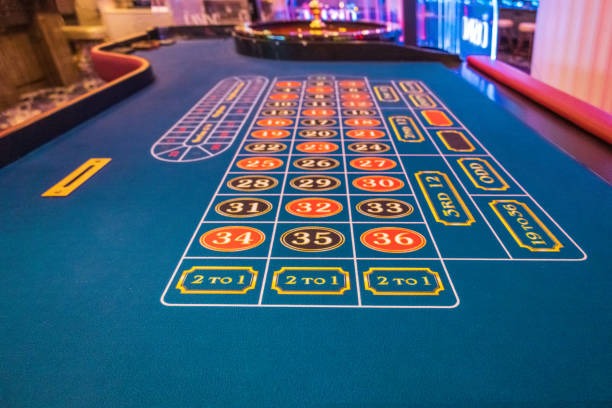
The first lobby row on our Home page separates casino and slots so you can browse the format you want without opening several menus.







Open One Account With Clear Phone Checks

One account gives you access to the casino lobby, slot rooms, sportsbook and supported local wallets from Home. Start by entering the account details requested on the opening form, then complete the phone verification step before access is enabled. Use a mobile number you control because account recovery and status checks rely on matching details. Once verified, return through the
same Home account route rather than creating a second profile for another lobby area. Your cashier view then shows the available DANA, OVO, GoPay, QRIS, virtual account and bank transfer paths. Eligibility depends on local law, so check the access wording linked from Home before continuing.
See Key Home Routes at a Glance

Track raja vegas Wallet Status From Home
Wallet status is easier to follow when the payment name, amount and receipt match the details shown in your account. From Home, enter the cashier and select DANA, OVO, GoPay or QRIS rather than sending funds outside the displayed route. QRIS presents a code for a compatible wallet scan, while the named wallet paths require the account details requested on
screen. Bank transfer and virtual account options may show BCA, BRI, Mandiri or BNI instructions according to availability. For withdrawals, we check the account name and transaction record before processing. Timing can vary with wallet or bank handling, and the cashier status remains the place to check progress.
Switch Between Tables and Slot Rooms
Move From Mobile Login to QRIS
A phone-sized Home layout keeps the account button, lobby categories and cashier route within the same vertical flow. After login, open the menu to reach casino, slots or sportsbook content, then return to the cashier without restarting your session. QRIS is suited to this path because you can display the payment code and complete the scan with a compatible wallet;
DANA, OVO and GoPay remain separately labelled to reduce wallet mix-ups. Game cards resize to the screen, and slot search stays available without forcing a horizontal page. If your connection changes, check account status before repeating any payment instruction or game request.
Know What raja vegas Checks and Why
Account checks on Home serve a practical purpose: they connect your phone, account identity and payment status to the same profile.
Phone Verification
We request a phone check before full account access. This connects recovery and status checks to a number you control and reduces confusion when you return through Home.
Receipt Matching
When wallet status stalls, our account path uses the payment name, amount and receipt details to locate the transaction rather than asking you to send another transfer.
Named Payment Routes
Home identifies DANA, OVO, GoPay, QRIS, virtual account and bank transfer separately. You can confirm the intended rail before following the cashier instructions.
Policy Access
Account conditions, privacy wording and local access terms remain reachable from Home. Read them before opening an account because availability depends on local law.
Find Football and Badminton Beside Casino
Sportsbook access sits beside casino and slots on Home, allowing you to change interests without maintaining another account. Football markets are grouped in the sports area, badminton receives dedicated Indonesia context, and basketball markets use the same account balance and status path. Badminton Sudirman Cup Bet provides a direct example of how a named event page appears when configured and
available. Before placing a selection, open the market details to check the event, price and settlement wording shown on screen. Your local availability depends on local law, and an event can close or change when its scheduled start approaches. The Home navigation remains your route back to live tables or slots.
Choose DANA or QRIS With Less Guesswork
The Home payment row names each local route before you enter the cashier, helping you avoid sending money through an unintended wallet.
Browse Quick Casino and Slot Formats
The final Home game row brings shorter casino formats and slots into a compact browsing area without mixing them into payment or account content.
Choose Speed Blackjack or Fast Rounds

Different Home routes suit different session styles. Speed Blackjack Live provides dealer-table context with quicker decision cycles, while Dragon Tiger and roulette remain familiar live casino alternatives. Aviator Fast Round uses a short round format, and Fishing War Fast Round places action in a fishing room rather than a reel layout. Slot search helps you find reel-based titles without scrolling
through live tables, while the sportsbook remains separate for football, badminton and basketball markets. Before opening any title, check the game card for availability and controls. Streaming quality for live tables depends on your connection, so a stable mobile or home network helps the video and betting interface stay aligned.
Reach Help From the Relevant Home Path
Account help stays close to the Home route where a problem appears. If login access stalls, return to the account area and check whether phone verification is incomplete. For a wallet issue, enter through the cashier so the payment name, amount, status and receipt remain connected to your request. Game access questions are easier to trace when you identify the exact title and device path, such as Speed Blackjack Live on a mobile browser. Avoid opening repeated requests for the same transaction because separate records can slow matching. Keep your account identifiers private and provide transaction details only through the help path displayed within your account.
Account Access Help
Use the Home account path when phone verification, login status or recovery details do not match. Check the entered number before sending a help request.
Wallet Status Help
Enter help through the cashier when DANA, OVO, GoPay or QRIS status stalls. Include the payment name, amount and receipt reference for transaction matching.
Game Access Help
Identify the game title, device type and point where loading stopped. These details help separate a connection issue from an account or game availability issue.
Check raja vegas Access Terms Before Joining
Local access wording belongs on Home because it affects whether you should open an account before entering the lobby. Availability depends on local law, and payment support does not by itself confirm eligibility in every location. Read the account conditions and privacy wording presented through the policy path, then make sure your phone and payment details are your own. The
New Member Offer may appear as a named lobby card when available, but its displayed conditions should be read before you act on it. Account checks, wallet processing and game availability can follow separate rules, so use the relevant Home path for each question rather than assuming one status applies to everything.
Get Clear Answers About Our Home Page
These answers cover the practical questions you may have before opening an account from the raja vegas Home page. They explain what the Home lobby contains, how phone verification connects to access, where local wallets appear, how mobile navigation behaves and what to do when payment status stalls. We also clarify the relationship between casino, slots and sportsbook sections, along with the wording used for local availability. For a transaction-specific issue, use the help route attached to your account or cashier so the relevant details remain connected. General answers cannot replace the status shown for your own account, payment or game session.